Talking-head videos
Keep the point you want to make in a short script. Rehearse the first few sentences through headphones, then listen to your take for a pace that feels conversational.
Audio prompter for video creators
Ear Prompter is an audio prompter for iPhone and iPad. Record your script in your own voice, then hear it through headphones as you rehearse your next video.

iOS 26 or later. Headphones required.
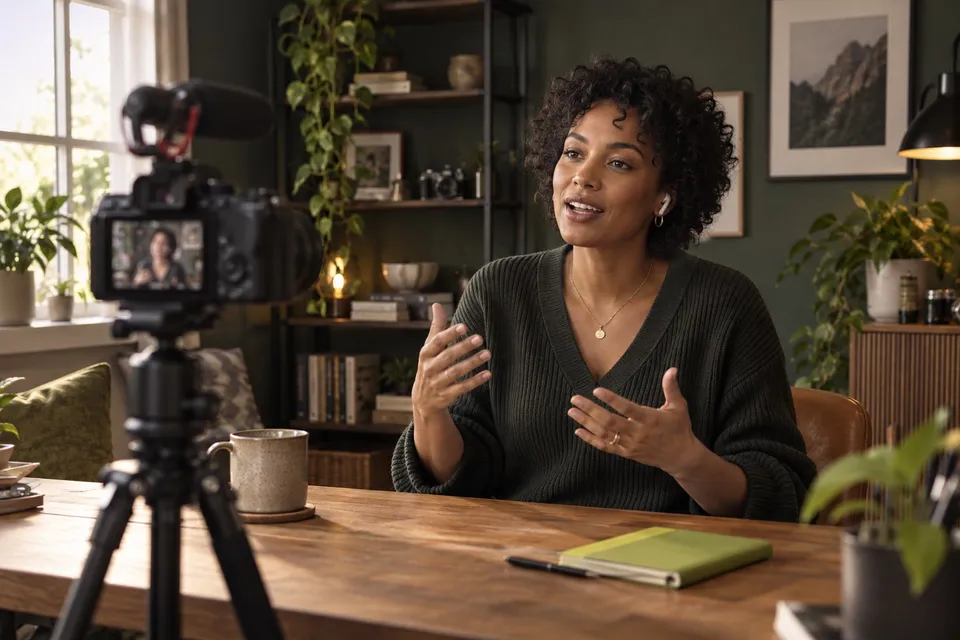
Find your delivery
An audio prompter plays a recorded guide through headphones while you speak a little behind it. With Ear Prompter, you make that guide yourself. You can hear the next words while keeping your attention on the camera, rather than looking down at a script.
Start with an opening you have already written. Read it aloud before recording the guide. If a sentence feels awkward to say, rewrite it the way you would explain the point to one person. Leave a pause where you need a breath.
See how an in-ear prompter works, or follow the first-read setup instructions.
Use your guide for the parts of a video where the wording matters, then review how they sound.
Keep the point you want to make in a short script. Rehearse the first few sentences through headphones, then listen to your take for a pace that feels conversational.
Keep product names and required wording in your guide. Try a second opening with a fresh recording and compare the two takes before choosing one.
Record one explanation at a time. Give names, measurements and instructions enough space to be understood. Rework a crowded sentence before making the next take.
A short rehearsal exercise
Choose three sentences from your video script. Say them aloud as if explaining the idea to a friend. Replace wording you would never use in conversation before you record your guide.
Record the passage in your own voice. Pause between ideas and wherever you need a breath. Listen through your headphones once, then practise following a little behind.
Record a take and listen for where you rush or sound as though you are reading. Change one pause or emphasis and try again. If the wording changes, make a new guide to match.
A recorded audio guide lets you hear the words through headphones while looking toward the camera. Practise with a short passage first. Ear prompting asks you to listen and speak together, so allow a few attempts to find a comfortable pace.
Yes. Write, paste or import your script, then record it yourself. Your saved voice recording is the guide you hear during rehearsal and takes. When you change the script, record a new guide for the revised words.
The delivery still takes practice. Write sentences you would say in conversation, leave breathing room in your guide, and review a short take. Listen for rushed endings or identical emphasis on every line, then adjust one thing at a time.
Connect your headphones and check a short guide and take before recording the whole script. In Settings → Audio, Bluetooth at full quality uses the phone microphone; with that option off, the headset microphone records at call quality. Your microphone choice changes where the phone needs to be.
Open Takes, select a take, then use Share or Save to Files. Video takes also offer Save to Photos. Export availability depends on your plan and the take; the app shows Pro options when an export is locked.
Ear Prompter is a native app for iPhone and iPad running iOS or iPadOS 26 or later. Headphones are required. Try a short guide and take with your equipment before relying on it.
Reads and takes are stored in the app on the device where you made them. Pro account sync covers scripts, not read audio or take recordings. Save important takes somewhere you control.
Find headphone and microphone setup help or read about script and recording privacy.
Working on commercial copy or a self-tape? See ear prompting for actors.
Start with one passage
Check the App Store and app for current plans and purchase options.